
Your display lights up. The panel responds. Press Start and nothing happens. This guide gives you every cause, every test, and every fix, in plain English, so you can diagnose it in 30 minutes without watching a 15-minute YouTube video.
Why does a dryer have power but won’t start?
If your dryer has power, the display lights up, the drum light works, but pressing Start does nothing, the issue is almost always a safety mechanism or broken component stopping the motor from receiving its start signal. The most common causes are a faulty door switch, a blown thermal fuse, a broken or slipped drive belt (which trips a belt safety switch), a malfunctioning start switch, or a control lock that was accidentally activated. Your dryer’s electronics are fine. A specific component inside is preventing the motor circuit from completing.
A dryer that has power but won’t start is one of the most common service calls across Los Angeles, from Burbank to Long Beach, Sherman Oaks to Culver City. And despite how alarming it feels, it rarely means the machine is finished. In the vast majority of cases, the failure traces back to a single component that costs between $0 and $45 to fix. Here’s how to find it.
What does your dryer’s behavior tell you before you open anything?
The exact way your dryer fails is the first diagnostic clue. Before checking any part, match your situation to one of the six patterns below, each of which points you toward a different likely cause and saves you unnecessary disassembly.
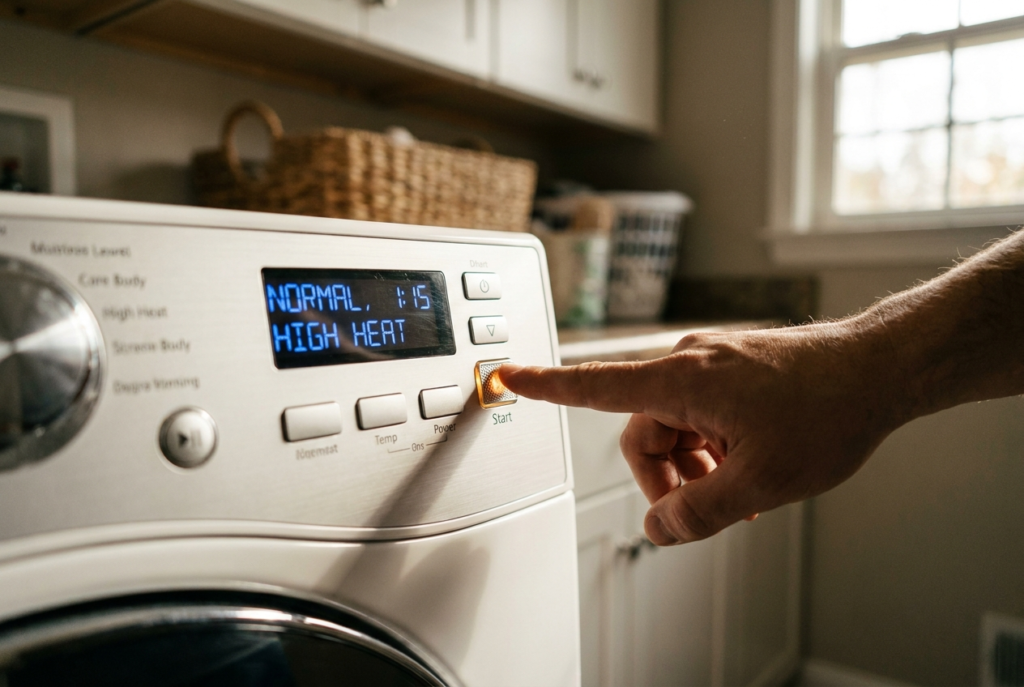
Display on, total silence at Start: Classic door switch or start switch failure. Also, check the control lock, which takes 10 seconds and costs nothing.
Hums briefly, drum won’t spin: Motor attempts to run, but the drive belt is broken or slipped. The drum turns freely by hand with zero resistance.
Starts, stops within seconds: Thermal overload or failing motor switch. Usually caused by a blocked exhaust vent or a clogged lint trap.
All buttons feel completely dead: Control lock is almost certainly active. Look for a padlock icon on the display; it’s a software lock, not a hardware fault.
Drum spins but no heat at all: Different problem, heating element, gas igniter, or cycling thermostat. The motor is fine. See our heating guide
Completely dead – no display, no lights: True power failure. Check the breaker, outlet voltage, and power cord before diagnosing internal components.
What are the most common reasons a dryer won’t start even though it has power?
When a dryer has power but refuses to start, the problem comes down to one of five components, listed here in order of how frequently our technicians encounter each one across Los Angeles. The electronics are working. Something in the motor circuit is broken, blown, or blocked from completing the circuit.
A faulty door switch is the most common reason a dryer won’t start
Every dryer is built with a door interlock switch, a small microswitch inside the door frame that must register a closed door before the motor is allowed to run. It’s a fundamental safety requirement, not an optional feature. When this switch fails, the dryer’s control board receives no “door closed” signal and refuses to start the motor, even if you’re pressing Start correctly. The plastic striker tab on the door can crack or break, or the internal switch contacts can wear out after years of use.
1. Faulty or tripped door switch
The issue: The dryer won’t run if it thinks the door is open. The plastic striker tab on the door might be cracked or broken off, or the internal microswitch has failed. Either way, the motor circuit never closes.
The fix: Close the door firmly, then press the door switch plunger inside the frame directly with your finger. You should hear a distinct, audible “click.” No click, or a mushy plunger that doesn’t spring back, means the switch needs replacing. This is a 15-minute job.
- If the plastic striker tab on the door is visibly cracked or missing entirely, the switch can never be physically pressed; that’s your diagnosis without a multimeter
- Electrical test: disconnect power, probe the switch with a multimeter set to continuity, it should beep when pressed, be silent when released; reading the same in both states means failed
- Try pressing the door firmly while pressing Start. If the dryer runs, the latch isn’t seating the switch properly
- Replacement switches are brand-specific but widely available; Whirlpool, Maytag, and Amana share many part numbers
GE and Hotpoint dryers are especially prone to striker tab cracking. On LG and Samsung front-loaders, the door switch often fails at the wiring harness connector before the switch itself. Check the connector pins for corrosion first.
A blown thermal fuse cuts all power to the motor, even when the display still works
The thermal fuse is a one-shot safety component built into every residential dryer. When internal temperatures exceed a safe threshold, almost always due to a clogged lint screen, a blocked exhaust vent, or a failed cycling thermostat, the fuse blows permanently and cuts the motor circuit entirely. The dryer’s display and panel lighting run on a lower-voltage circuit and remain active, which is why the machine appears to have power while refusing to start. Once blown, the thermal fuse cannot be reset; it must be replaced.
2. Blown thermal fuse
The issue: A built-in safety device that blows and permanently cuts the motor circuit if the dryer overheats. A clogged lint vent is the most common cause. Once blown, it cannot be reset, only replaced.
The fix: Unplug the dryer. Remove the back panel. Locate the fuse on the blower housing or exhaust duct, a small oval component with two wires. Test with a multimeter set to continuity. No beep means it’s blown. Replace it, then clean the exhaust vent thoroughly before reassembling.
- A blown thermal fuse looks completely normal – you cannot diagnose it visually, only with a multimeter continuity test
- Always fix the root cause (clean the vent, check the cycling thermostat) before replacing the fuse, or the new fuse will blow again within weeks
- In Los Angeles, older homes with long vent runs – common in 1950s–70s construction- restrict airflow and cause repeat fuse failures
- Never bypass or jump the thermal fuse – dryer fires are the leading cause of residential structure fires in LA County
If your dryer ran noticeably hot, had a burning smell, or your lint screen hasn’t been cleaned in months before it stopped starting, the thermal fuse is the first thing to test. Don’t replace it without clearing the exhaust duct first.
A broken drive belt triggers a safety switch that stops the dryer from starting at all
Dryers use a long, thin rubber belt looped around the drum, an idler pulley, and the motor shaft to turn the drum. Many dryer platforms, particularly Whirlpool, Kenmore, and Maytag, include a belt safety switch wired in series with the motor circuit. If the belt snaps or slips off the idler pulley, this switch opens the circuit and prevents the motor from running. The dryer appears completely dead from the outside, even though electronics and power are fully intact.
3. Broken or slipped drive belt
The issue: Dryers have a belt safety switch attached to the drive belt. If the belt snaps or comes off its pulley, this switch prevents the dryer from turning on entirely; the motor circuit never completes.
The fix: Open the door and try turning the drum by hand. If it spins with absolutely zero resistance, completely free, like it’s floating, the belt has broken or slipped. Remove the front or back panel to reattach or replace the belt. Photograph the routing before removing it.
- The “spins freely by hand with zero resistance” test takes 5 seconds and is a definitive belt diagnosis – no tools needed
- A healthy drum has noticeable resistance when turned by hand because the belt puts tension on the motor shaft and idler pulley
- Some models hum briefly before the belt switch cuts the motor – if you hear a momentary hum, then silence, suspect the belt
- While the panel is off, also inspect the idler pulley – if it wobbles or is seized, replace it at the same time (under $15) to avoid a repeat failure
On older Whirlpool and Kenmore top-load dryers, which are extremely common across the San Fernando Valley, belt failures often happen without warning. If your machine is 7+ years old and the drum spins freely, order the belt before you even confirm the diagnosis. It’s the right call 95% of the time.
A malfunctioning start switch prevents the motor circuit from receiving its signal
The physical Start button contains internal electrical contacts that close a circuit when pressed, sending the motor its run signal. After years of use and thousands of presses, those contacts can burn out, corrode, or fail mechanically. The panel lights and display continue working because they run on a separate low-power circuit. The motor circuit, which depends on the Start switch to close, never gets its signal.
4. Malfunctioning start switch
The issue: After years of pushing, the internal contacts inside the start switch burn out or fail. The panel stays lit, but the motor never receives its start signal. You may hear no sound at all when pressing the button.
The fix: First, press and hold Start for 2–3 full seconds rather than tapping it quickly; some models require a sustained press. If you hear nothing at all, disconnect the power and test the switch with a multimeter. No continuity while held = replace the switch.
- “Press and hold for 3 seconds” resolves what appears to be a faulty switch on many Samsung, LG, and Bosch models. Always try this before disassembling
- A failed switch reads either permanently open (no continuity ever) or permanently closed (dryer tries to start immediately on power-up)
- On digital dryers with membrane keypads, a failed Start button usually means replacing the entire control panel assembly, not just the switch
- Listen for a relay click from inside the machine when you press Start; if the relay clicks but the motor doesn’t run, the fault is past the start switch
An activated control lock disables every dryer button without causing any real damage
Virtually every modern digital dryer, LG, Samsung, Whirlpool, Bosch, Electrolux, GE, includes a Control Lock or Child Lock feature that software-disables all panel buttons. It’s designed to prevent changes mid-cycle or to childproof the machine. It can be triggered accidentally by leaning on the panel, by a child pressing buttons, or sometimes by a power surge. When active, the panel lights up fully, and the display responds, but pressing any button, including Start, does absolutely nothing. This is a software state, not a hardware failure.
5. The control lock or child lock accidentally enabled
The issue: A software lock disables all panel buttons. The display remains active. Nothing responds to input, including Start. Many homeowners mistake this for a hardware failure and call a technician unnecessarily.
The fix: Look for a padlock icon or “Control Lock” text on the display. Press and hold the designated button for 3 full seconds to toggle it off. If the lock icon won’t clear, try a hard reset: unplug the dryer for 5 minutes, then try again immediately on power-up.
- LG: Press and hold “Child Lock” for 3 seconds until the padlock icon disappears from the display
- Samsung: press and hold the key icon button for 3 seconds; the exact button location varies by model
- Whirlpool / Maytag: consult your model’s manual, typically a simultaneous hold of two specific buttons
- Bosch: Hold “Start/Pause” and one other button simultaneously for 3 seconds, check your exact model
- If the lock clears but reactivates on its own, the control board may have a fault. At that point, call a technician
Our technicians get calls from homeowners across the San Fernando Valley and the Westside several times a month for “dryers that stopped working,” and it turns out to be a control lock. Always check this first. It is free, requires zero tools, and takes under a minute.
How do you fix a dryer that has power but won’t start – step by step?
Work through these eight steps exactly in this order. The sequence is intentional: the free, no-tools checks come first, and the disassembly steps come last. Stop the moment you identify the problem; you don’t need to complete every step.
Diagnostic checklist – dryer won’t start but has power
- Check for control lock — free, 10 seconds: Look at the display for a padlock icon or “Control Lock” label. Press and hold the designated button for 3 full seconds. If the lock clears, press Start normally.
Lock clears → start dryer normally. Done. No repair needed.
- Reset the circuit breaker – free, 2 minutes: Go to your electrical panel. Find the dryer breaker, a 30A double-pole for electric dryers, or a 15–20A single-pole for gas. Turn it fully OFF, wait 30 seconds, then push firmly to ON. Even if the breaker appeared fine, a “half-trip” leaves one 120V leg dead, enough to power the display but not the motor.
Dryer starts after reset → half-tripped breaker. Monitor for repeats.
Breaker trips again immediately → internal short. Stop and call a technician.
- Press and hold Start for 3 full seconds – free, 5 seconds: Don’t tap, hold the Start button down for a full 2–3 seconds. Many models require a sustained press. Listen for any relay click or motor attempt. If it starts, your previous tapping was too brief.
Dryer starts on hold → not a fault. Normal operation requires a sustained press.
- Test the door switch – free, 1 minute: Close the door firmly. Press the door switch plunger inside the door frame with your finger, listen for a distinct click. Try pressing Start while also applying firm inward pressure on the door. If the dryer starts with firm door pressure, the striker tab is not properly engaging the switch.
Starts only with the door forced shut → replace door latch or door switch ($10–$35).
- Turn the drum by hand, free, 5 seconds: Open the dryer door and rotate the drum by hand. It should turn with noticeable resistance. If it spins completely freely, with zero friction, as if floating, the drive belt is broken or has slipped off the idler pulley. Panel removal required to replace it.
Drum spins with zero resistance → broken or slipped drive belt ($10–$25 part).
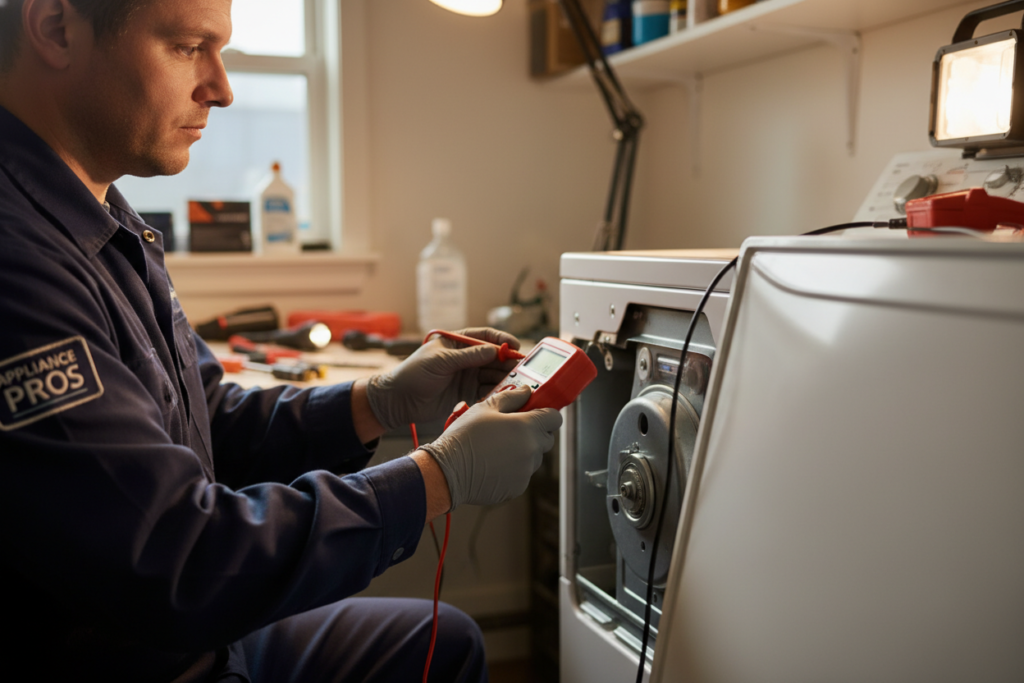
- Test the thermal fuse with a multimeter – requires tools: Unplug the dryer. Remove the back panel (8–10 Phillips screws). Locate the thermal fuse on the blower housing or along the exhaust duct, a small oval or cylindrical component with two push-on wire terminals. Set your multimeter to continuity mode and probe both terminals. A working fuse beeps immediately. No beep means it’s blown.
No continuity → thermal fuse blown. Replace ($8–$18). Clean the exhaust duct first.
- Test the door switch electrically – requires a multimeter: With power disconnected, unplug the door switch wiring harness. Set the multimeter to continuity. Press the switch plunger and probe both terminals, should beep when pressed, be silent when released. If it reads the same result in both positions, the switch has failed internally.
Same reading for both states → door switch failed. Replace ($10–$35).
- All checks passed, call a professional: If all the above are confirmed working, the fault is likely the motor, motor relay, wiring harness, or control board, components that require brand-specific wiring diagrams and advanced diagnostic tools. At this point, a professional technician will find the fault faster and more safely than continued DIY testing.
When should you stop troubleshooting and call a professional dryer repair technician in Los Angeles?
Most of the checks above are safe for any homeowner to perform. But there are specific situations where continuing DIY diagnosis creates either a safety risk or a risk of further damage to the machine. Stop and call a certified technician if any of the following apply to your situation.
Stop DIY – call a professional when:
- You’ve replaced the thermal fuse, and it blows again within a few weeks. A failed cycling thermostat or severely restricted duct is causing repeat overheating that a new fuse alone will not solve
- You have a gas dryer and suspect that anything beyond the door switch, control lock, or belt, gas valve, igniter, solenoid, and gas supply issues requires a licensed technician
- The circuit breaker trips immediately when the dryer is switched on. This indicates a hard internal short in the wiring or motor that needs electrical diagnosis before any component testing
- Your dryer shows error codes on the display. Newer LG, Samsung, and Bosch models communicate specific fault codes that require brand diagnostic software to interpret correctly
- You’ve replaced the door switch, thermal fuse, and confirmed the belt is intact, but the dryer still won’t start, the motor, motor relay, or control board is the next suspect and requires advanced testing
- You are uncomfortable working inside a 240V appliance; there is no shame in calling a professional, and the diagnostic fee is almost always less than the cost of replacing incorrectly diagnosed parts
Our certified technicians at CityFix Appliance serve all of Los Angeles County, West Hollywood, Pasadena, Long Beach, Culver City, Sherman Oaks, the South Bay, Burbank, and everywhere in between. Same-day service is available most weekdays, with upfront pricing quoted before any work begins.
Frequently asked questions about dryers that won’t start but have power
Why does my dryer have power but won’t start?
When a dryer has power but won’t start, the problem is a safety mechanism or component preventing the motor circuit from completing, not a power supply issue. The five most likely causes, in order of frequency, are: a faulty door switch, a blown thermal fuse, a broken drive belt (which trips a belt safety switch), a malfunctioning start switch, or a control lock that was accidentally activated. The control lock check is free and takes 10 seconds; always start there before disassembling anything.
Can I reset a dryer that won’t start?
Yes, start by unplugging the dryer for 5 minutes, then plug it back in. For electric dryers, also reset the breaker by turning it fully off, waiting 30 seconds, and switching it back on. This clears a half-tripped breaker and resets the dryer’s control board. On LG and Samsung models, specific button-hold combinations can also perform a control board reset. Check your model’s manual. However, a reset will not fix a blown thermal fuse, failed door switch, or broken belt; those components must be physically replaced.
How do I know if my dryer’s thermal fuse is blown?
You cannot tell whether a thermal fuse is blown by looking at it; a blown fuse looks identical to a working one. The only reliable test is with a multimeter set to continuity mode. Unplug the dryer, remove the back panel, locate the fuse on the blower housing or exhaust duct, and probe both wire terminals. A working fuse beeps immediately. No beep confirms the fuse is blown and must be replaced. If your dryer ran noticeably hot, smelled like burning, or your exhaust vent hasn’t been cleaned in over a year, the thermal fuse is the first thing to test.
How do I know if my dryer door switch is bad without a multimeter?
Close the door and press the door switch plunger inside the door frame directly with your finger. You should hear a distinct mechanical click. If there’s no click, the plunger feels mushy, or the switch doesn’t spring back, it has likely failed. You can also try pressing firmly on the door while pressing Start. If the dryer starts only when you apply inward pressure, the plastic striker tab on the door is cracked or broken and not properly engaging the switch. Visually inspect the striker tab first; if it’s broken, that’s your diagnosis without any tools.
Why does my dryer hum but the drum won’t spin?
A dryer that hums but the drum doesn’t spin almost always has a broken or slipped drive belt. The motor is receiving power and running, but has nothing to turn because the belt has separated. Confirm it immediately by opening the door and turning the drum by hand. If it spins with zero resistance (completely free, like it’s floating), the belt is broken. On some dryer platforms, a belt safety switch prevents the motor from running at all when the belt is absent, so you may hear nothing other than a hum. Either way, the solution is the same: open the cabinet and replace the belt.
What does it mean if my dryer starts, then immediately stops?
A dryer that starts and shuts off within a few seconds is typically experiencing a thermal cutout event or a motor centrifugal switch issue. The most common cause is a partially restricted exhaust vent; the dryer’s internal temperature spikes rapidly, the thermal cutout trips, and the machine shuts down as a safety measure. Check that the exhaust vent is clear from the dryer to the exterior wall cap, and that the lint screen is clean. If the vent is clear and the problem continues, the cycling thermostat or motor centrifugal switch may be failing and will need professional diagnosis.
Is it safe to replace a dryer thermal fuse myself?
Yes, replacing a thermal fuse is a safe DIY repair for most homeowners, provided you always unplug the dryer completely before opening the back panel and confirm the power is disconnected before touching any components. The thermal fuse itself is low-voltage and low-risk to handle. The critical safety step is to also fix the root cause of the overheating, typically a clogged exhaust vent, before installing the new fuse. If you don’t clear the obstruction, the new fuse will blow again within weeks. On gas dryers, limit your DIY work to the thermal fuse; leave any gas-side components to a certified technician.
Why does my dryer’s control lock keep turning back on?
If the control lock clears normally when you hold the button but then reactivates on its own, or the lock icon is stuck and won’t clear, do a hard reset first: unplug the dryer for 5 minutes, then try to clear the lock immediately when it powers back up, before it runs any startup sequence. If the lock reactivates repeatedly after a successful clear, the control board has a fault, usually a stuck relay or firmware corruption. On Samsung and LG models five or more years old, this is a known failure mode that typically requires control board replacement. A technician can confirm this with a diagnostic code readout.
Should I repair or replace my dryer if it won’t start?
A dryer that won’t start despite having full power is solvable, and in the overwhelming majority of cases, it does not mean you need a new machine. Start with the control lock check and the circuit breaker reset, both of which cost nothing and take under two minutes. Move to the door switch click test and the drum-by-hand spin test, which require no tools and take under a minute each. Only then move to the multimeter tests for the thermal fuse and door switch.
If you’re through step 7 in the checklist and still haven’t found the cause, or if any of the “stop and call a pro” conditions above apply to your situation, our team at CityFIx Appliance is ready to diagnose and repair it, same day, across all of Los Angeles County.


2 Responses